
Get the property into view.
Connect a published driver stop with its charging details, location and available stop context.
Connect your charging locations, businesses and amenities with the people travelling through. Bring the driver experience and the property picture together.
A charging stop can connect a driver with a coffee, a meal, a service or a place to explore. WAYVIQ helps make those connections visible—and gives your team a structured view of the property behind them.
Connect a published driver stop with its charging details, location and available stop context.
Bring linked businesses, amenities and relevant campaigns into the charging experience.
Review stored charger, session and energy information in a property-focused workspace.
Move from a searchable portfolio to the details of an individual site. Keep property records, charging infrastructure and commercial context connected.
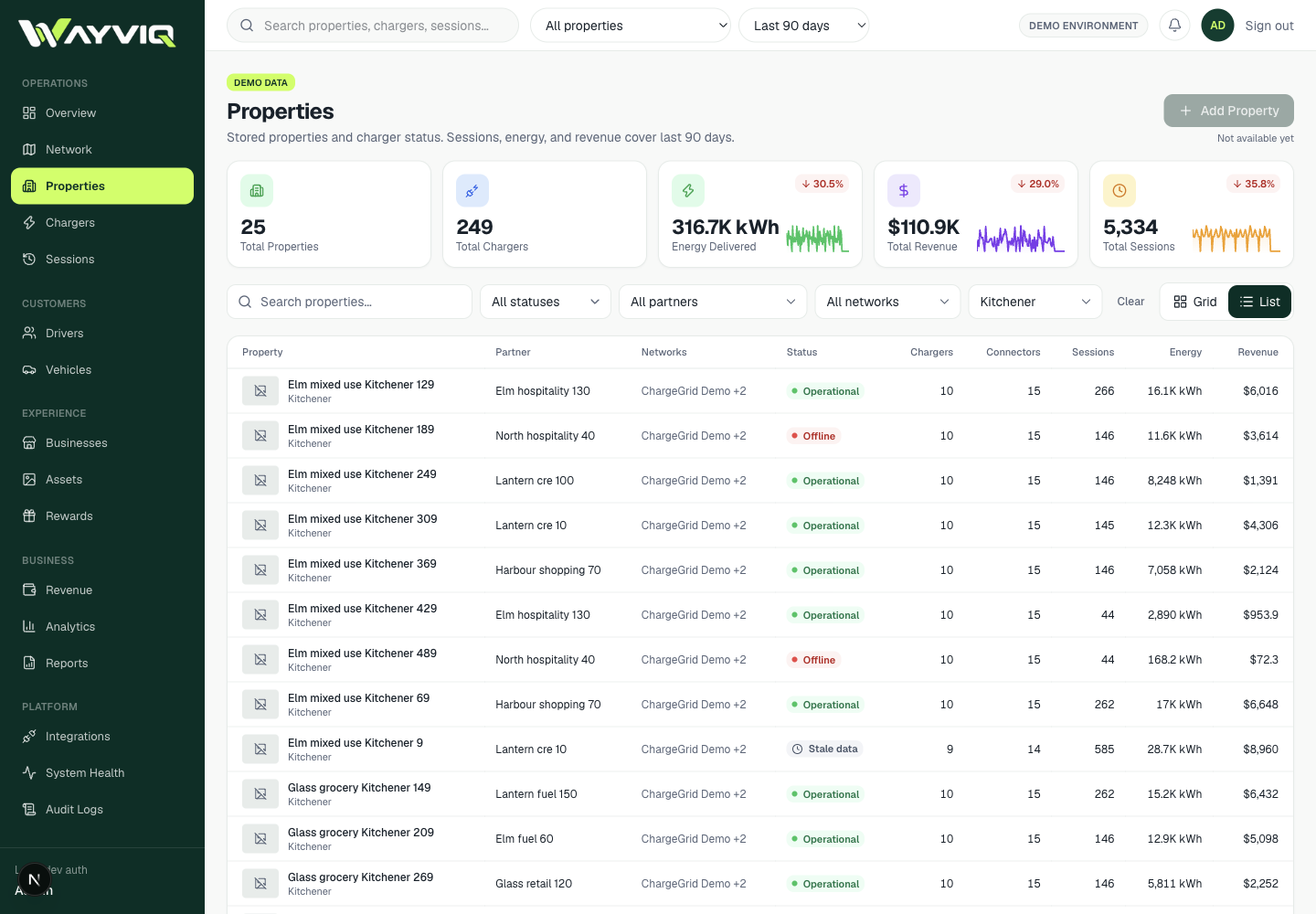
Search properties, filter by stored status, partner, network or city, and switch between grid and list views.
Use available date ranges to review recorded sessions, energy and session amounts, with comparison periods where supported.
Move into a property record for its chargers, sessions, businesses, amenities and supporting information.
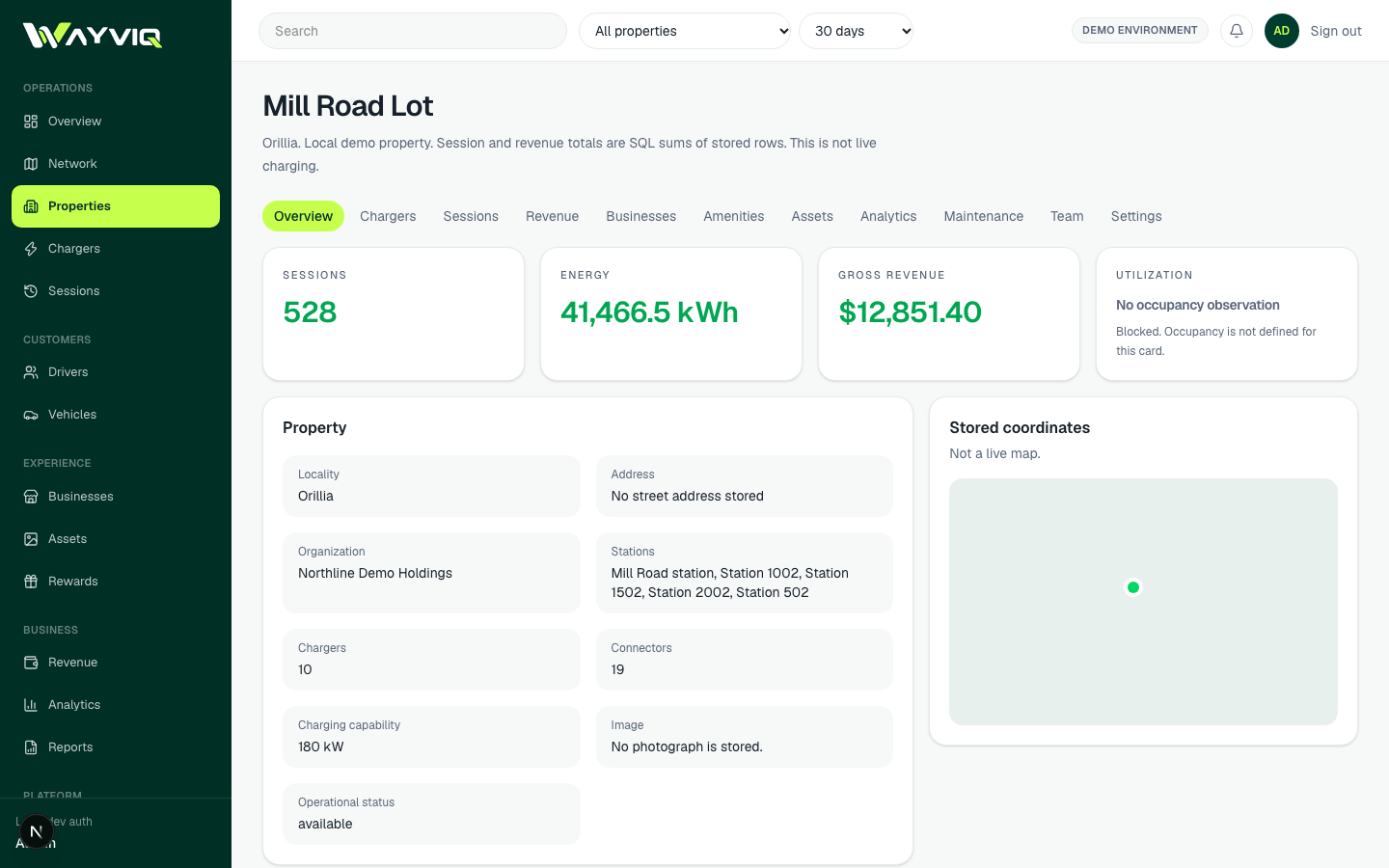
A property record gives operators a place to connect location facts with infrastructure and the businesses around the stop.
Review the property name, locality, address, organization and stored coordinates. Admin catalogue tools support creating and updating records.
Inspect linked stations, chargers, connectors, power information, stored status and last-heartbeat evidence.
Review recorded charging sessions and energy. Stored session amounts are shown separately from any payment or payout claim.
Bring linked businesses, stored amenity categories and available imagery into the property’s context.
Admin tools publish or unpublish a driver stop from eligible property records. Publication is a distinct step from editing the catalogue.
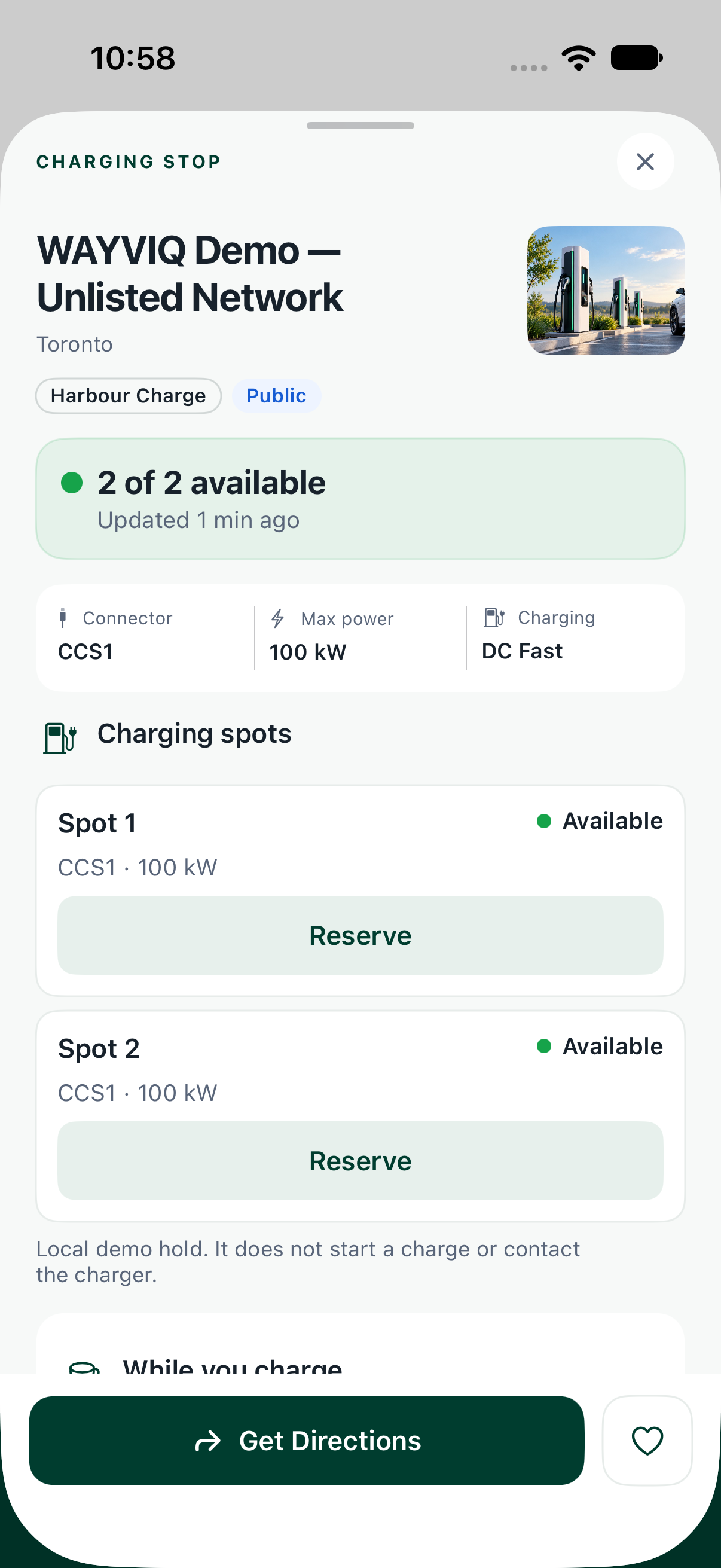
Your property has more to offer than a plug. The app gives drivers context for choosing the stop and spending their time there.
Connector, power, access and availability information appear where the connected source supports them. Unknown and stale information remain visible.
Food, drinks, snacks, washrooms and services help explain what is available during a charging break.
Linked on-parcel businesses are distinguished from nearby options. A nearby search result does not automatically become an on-property tenant.
Drivers can open details, save the stop or launch directions. Stop Score and Charge Confidence add context where supported.
Connect the charging break with the café, restaurant, shop or service at your destination. Give participating businesses a place to promote an offer—and travellers a reason to step inside.
Explore property campaigns →Manage brand records and offers with a headline, description, discount or benefit, terms and validity dates.
Assign campaign placements to a property, stop and linked business. Keep on-parcel and nearby context distinct.
Use stored media, campaign content, audience settings and publish schedules. Operator controls cover publishing, pausing and archiving.
Review stored campaign events where instrumented. Event records are not automatically proof of footfall, a purchase or incremental sales.
Campaign administration is currently an operator workspace. Loyalty benefits follow the participating brand’s programme and terms.
A scoped partner workspace brings the relevant property and charging records together, without opening the wider administrator console.
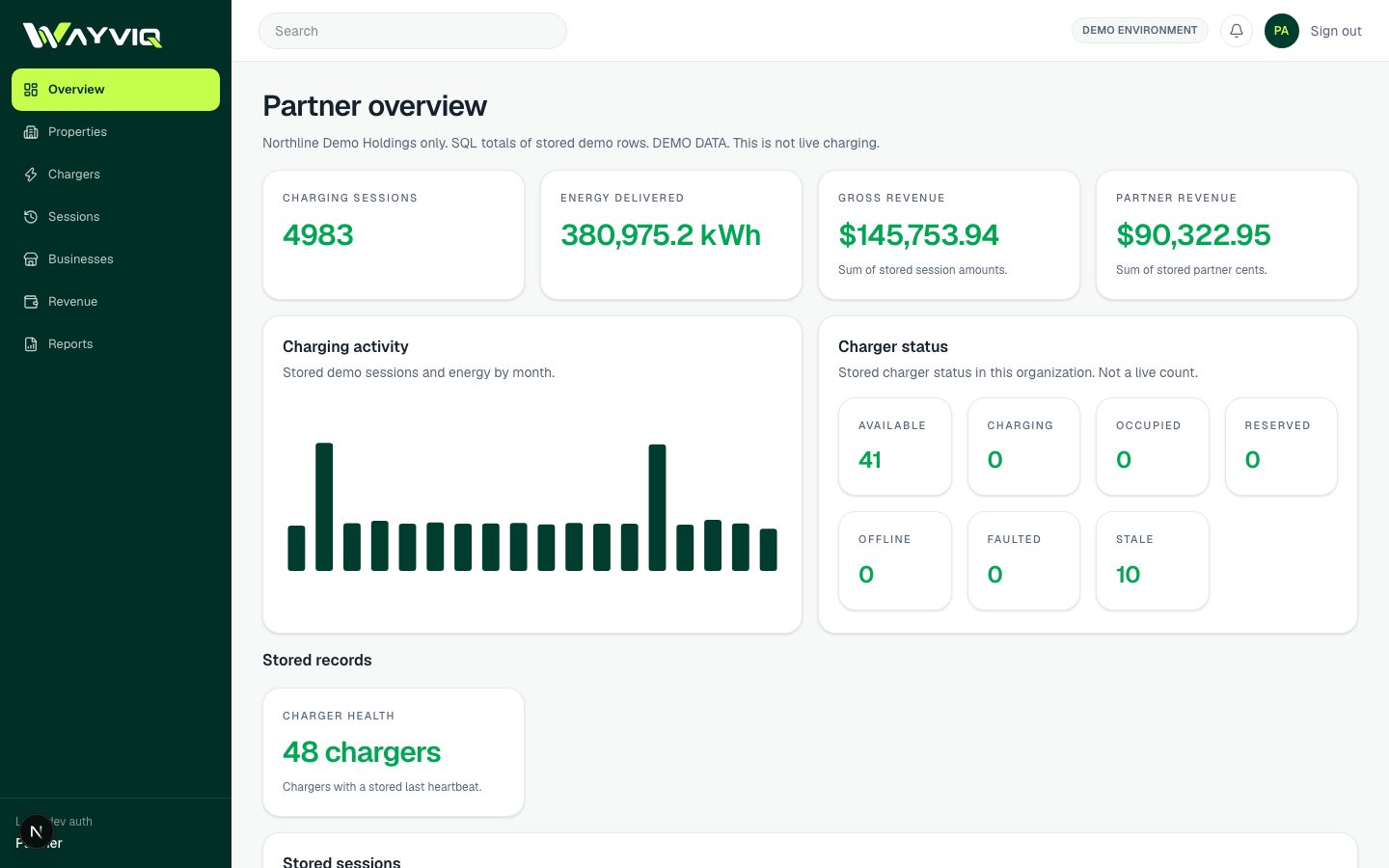
Partner views are restricted to their organization’s available property, charger, business and session records.
Review stored charging sessions and energy, and export supported Sessions and Energy CSV reports.
Property publishing, catalogue edits and marketing administration remain operator tools. A partner view is not unrestricted self-service administration.
Shape the experience around what your property offers and the charging information you can make available.
Help drivers discover shops, food and everyday services around a charging stop.
Bring the property’s hospitality, dining and available amenities into the destination story.
Connect charging with food, convenience, washrooms and travel services.
Present businesses and amenities in a shared property context, with on-parcel relationships kept clear.
What’s available in the platform, who it’s for and where the current boundaries are.
Review your property, charging infrastructure, participating businesses and the information already available.
Define the property records, driver-stop content, business relationships and campaign opportunities for the pilot.
Check data quality, partner access and the driver experience before agreeing a production rollout.