
Find your options.
Explore charging locations on the map or in a list, then narrow the search to what matters.
Find your next charger. Understand the stop. Plan around your EV. Make the time in between count.
Made for iPhone · Product preview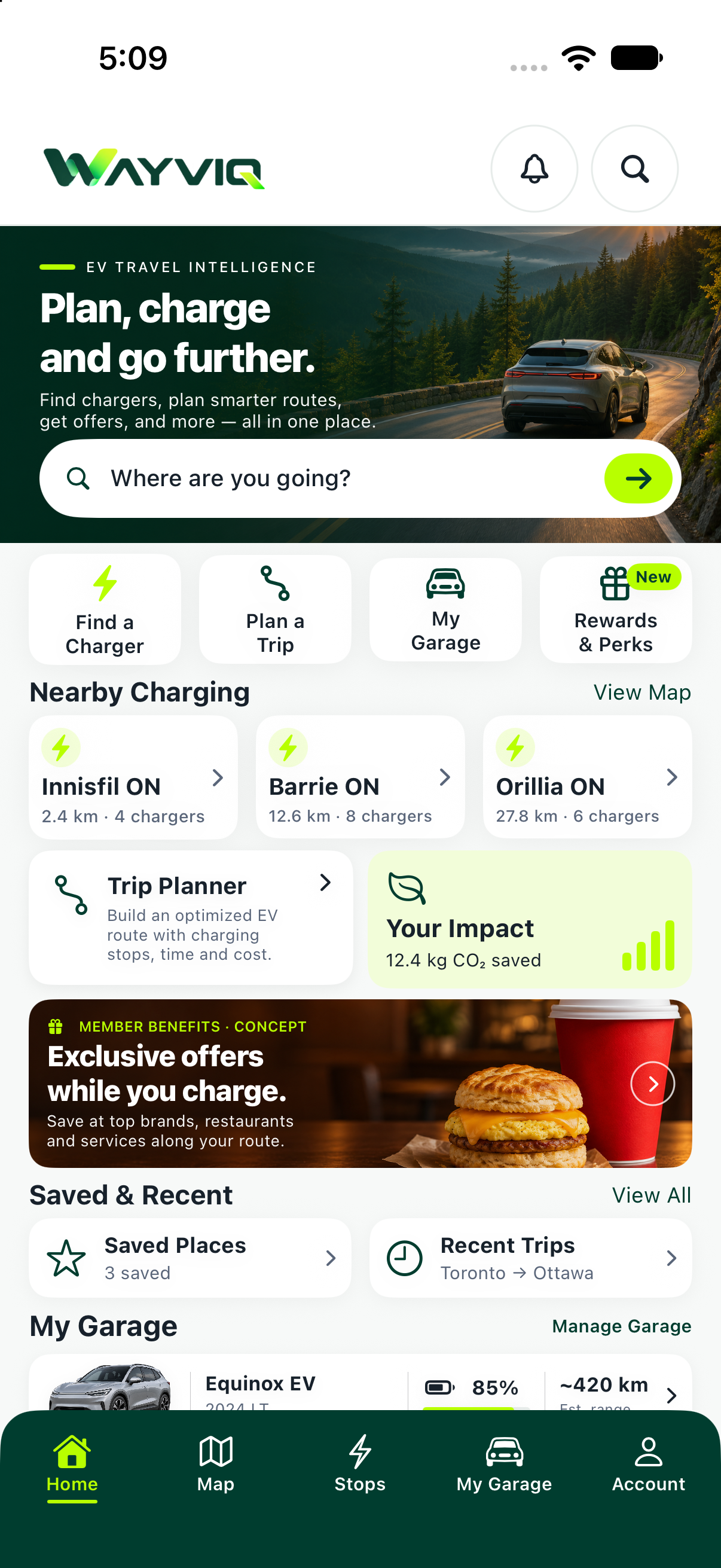
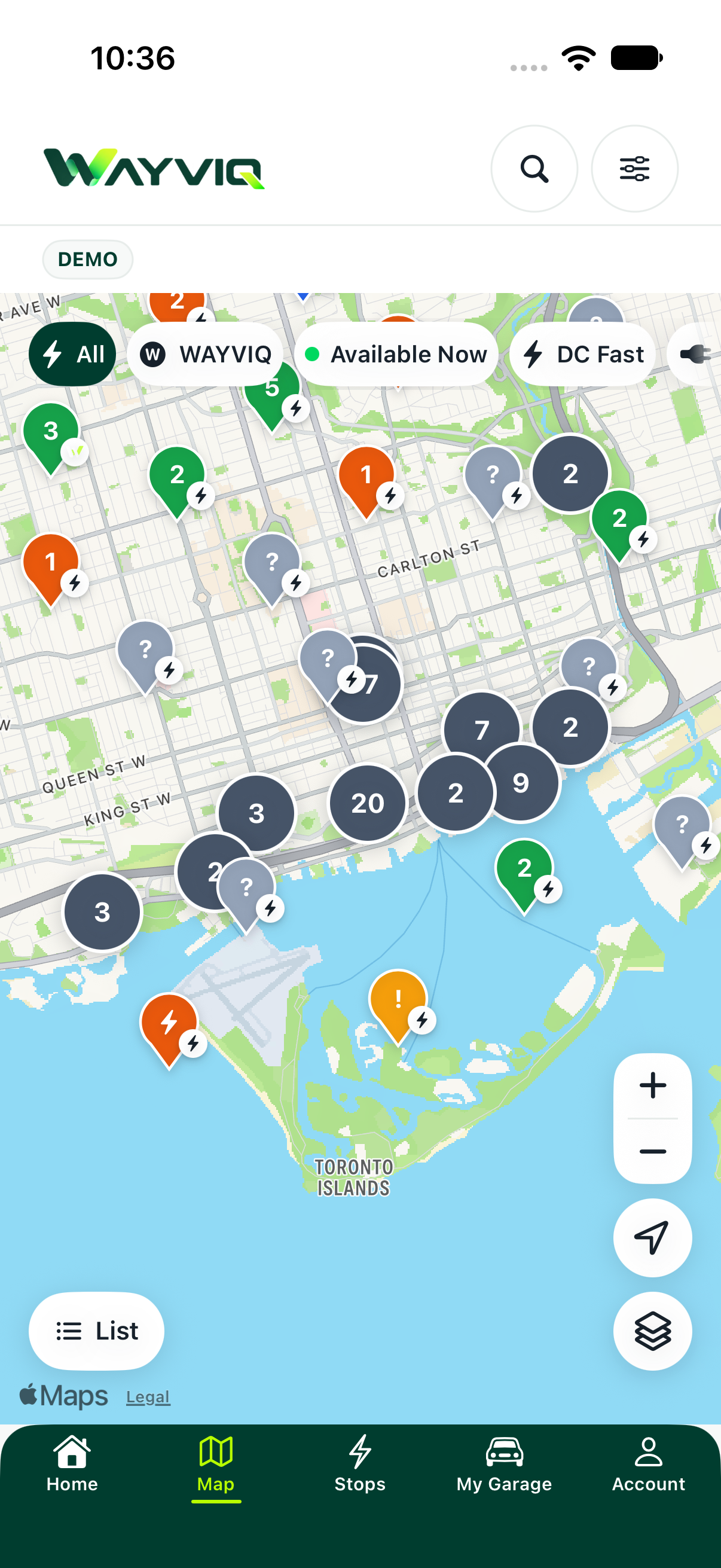
Explore charging locations on the map or in a list, then narrow the search to what matters.
Look at charging evidence, Stop Score and the amenities around a location before choosing it.
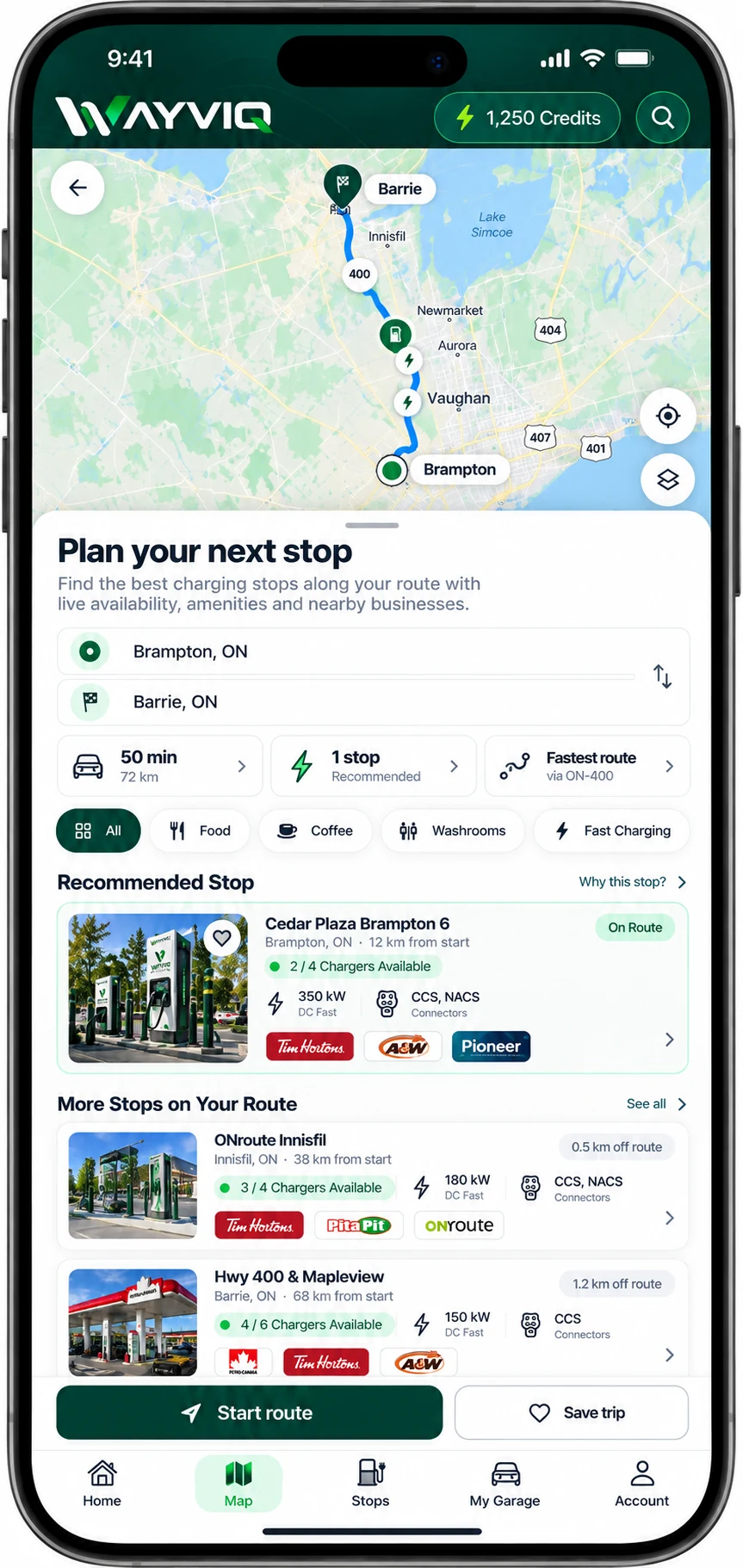
Bring your vehicle and starting battery into the plan, with charging stops and alternatives.
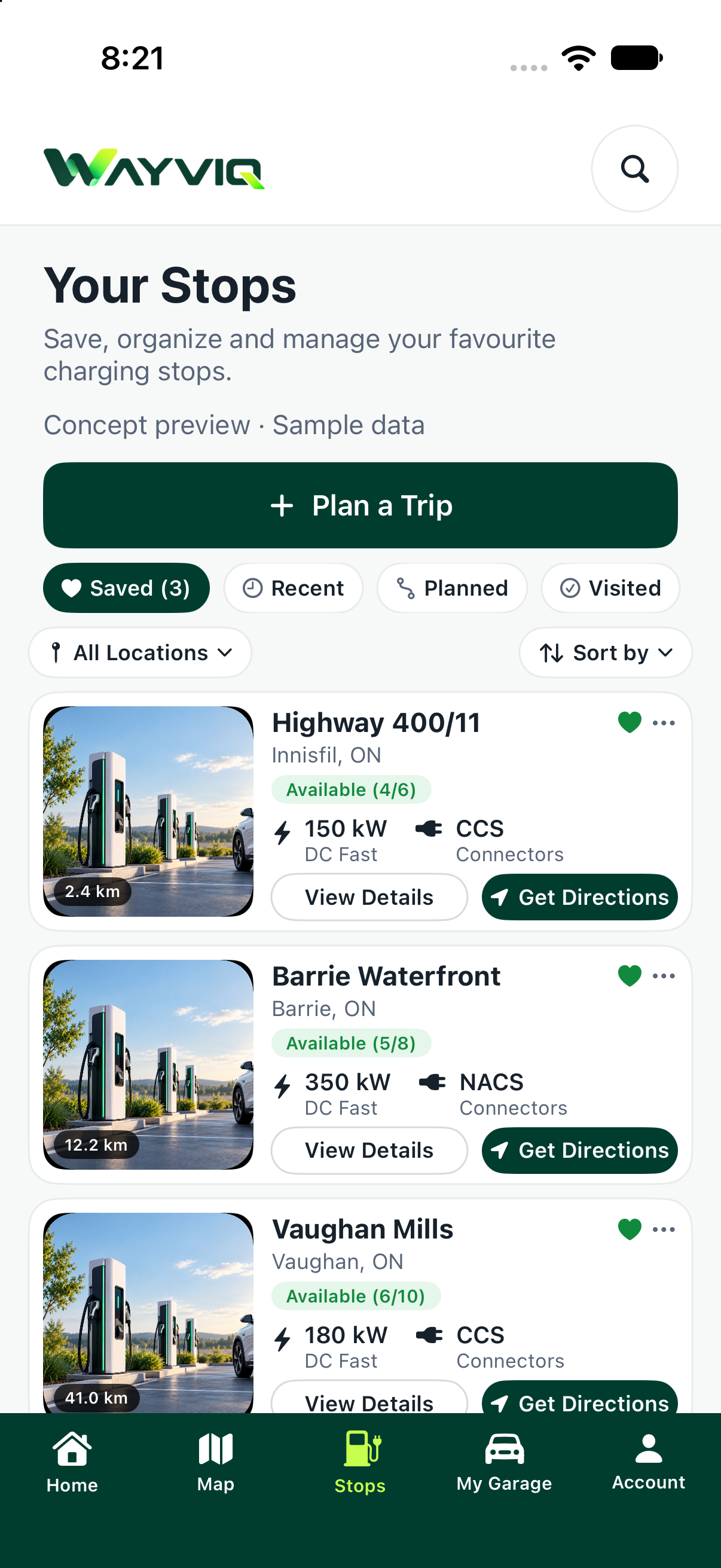
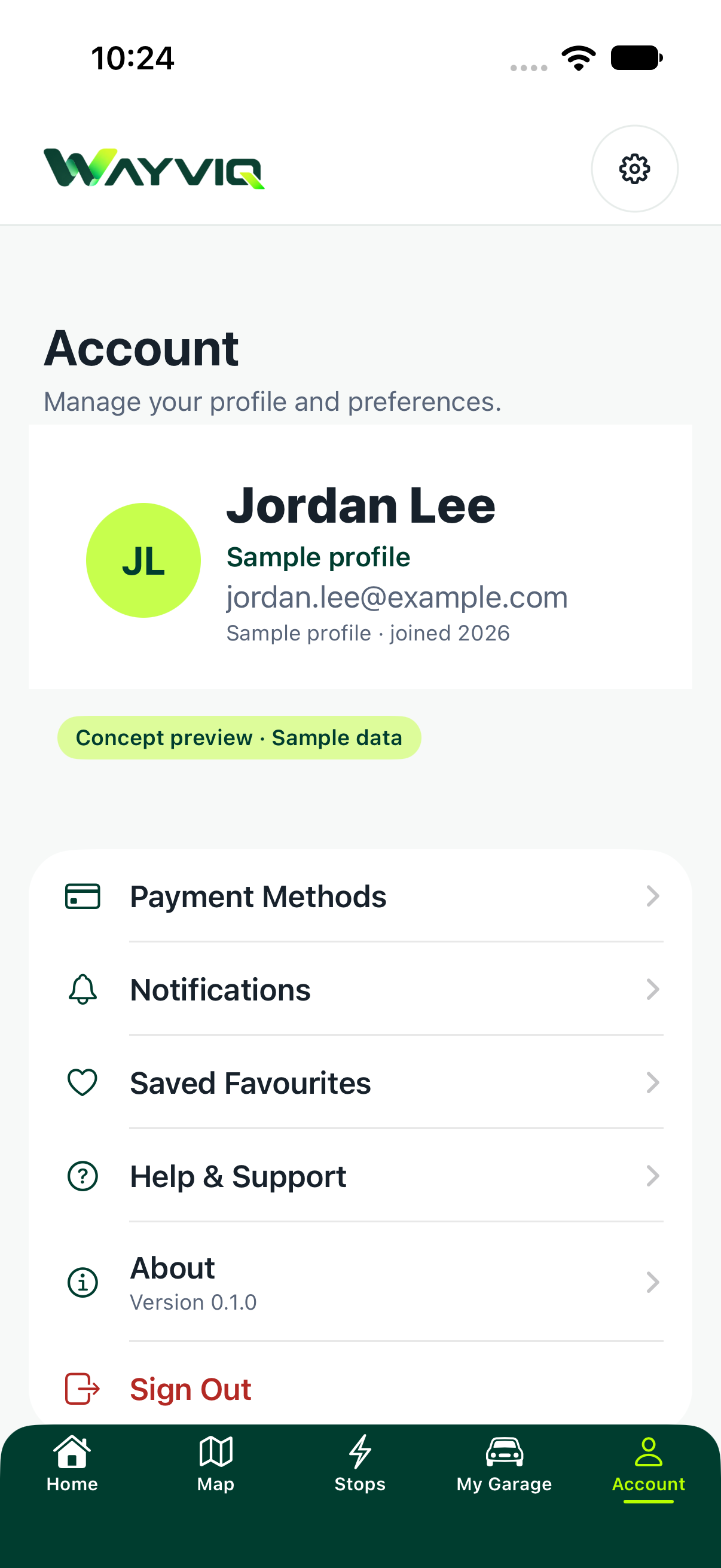
Revisit saved places, manage your EV and pick up your planned stops from one familiar app.
Move around the map and explore charging opportunities without committing to a stop. Switch to a list when you want to compare your options.
Open a location for a clearer picture of charging and everything around it. Stop-specific information stays with the selected stop.
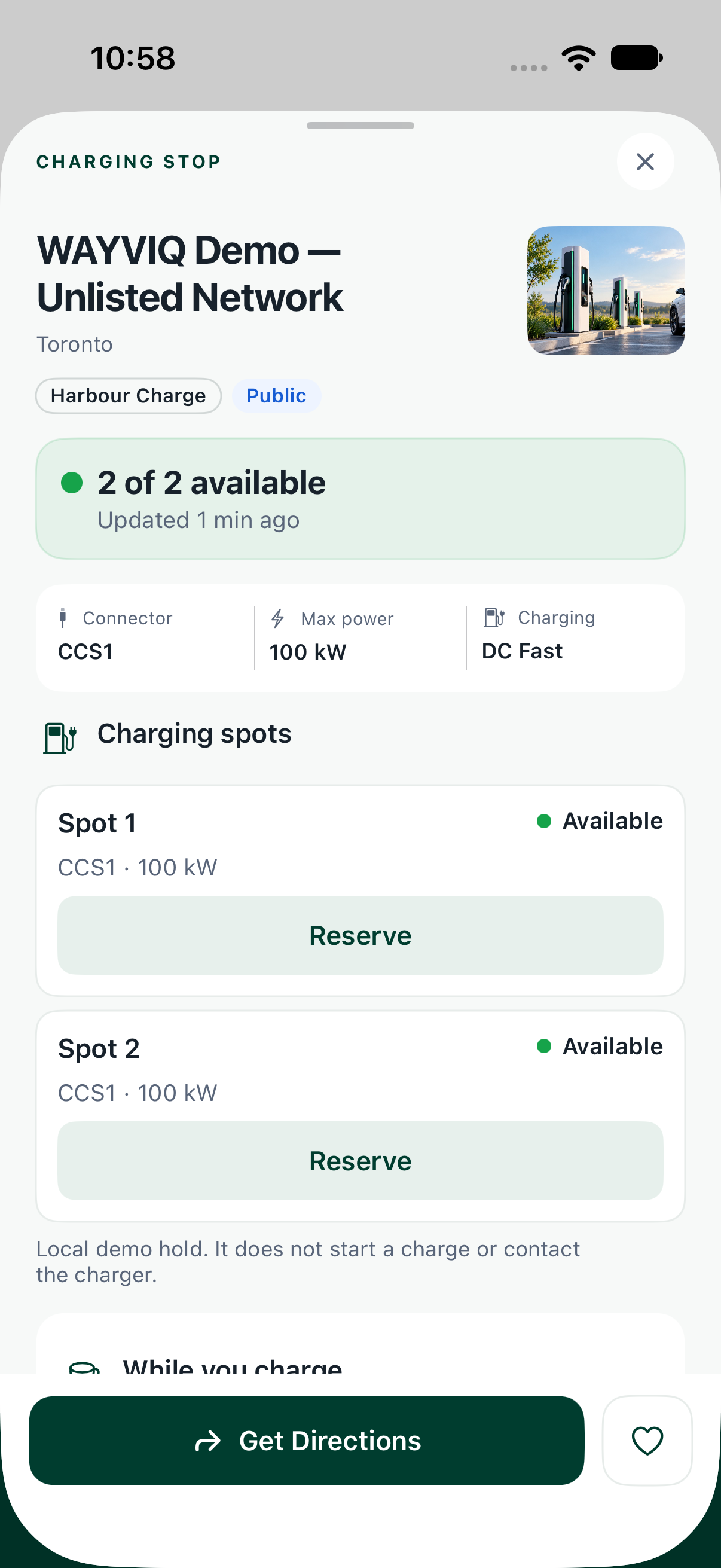
The reservation interface brings connector selection, arrival time and charging duration into one clear view. Review the selected window before creating a WAYVIQ-only hold.
See the connector options stored for the charger.
Choose an available time window, then a charging duration.
Check the selected connector and window together.
Select a connector, an arrival time, and a charging duration.
A WAYVIQ-only hold. Does not start charging or create a reservation with the charging network.
Plan with the vehicle you actually drive. Bring charging needs into the journey before you set off, and keep alternatives in view.
Different questions deserve different answers. WAYVIQ separates the quality of a stop from charging evidence and the context of your trip.
Is this a useful place to stop? Bring amenities and the wider stop experience into the decision.
How strong is the charging evidence? Understand freshness, completeness and missing information.
What does the evidence suggest for arrival? A trip-specific signal, rather than a promise of availability.
What could you do during the charging window? Put relevant stop amenities into the time available.
Is the charging plan on track? See risk, recommended backups or a need to replan.
Keep vehicle information close to your charging and trip decisions. WAYVIQ uses supported vehicle specifications to make planning more relevant.
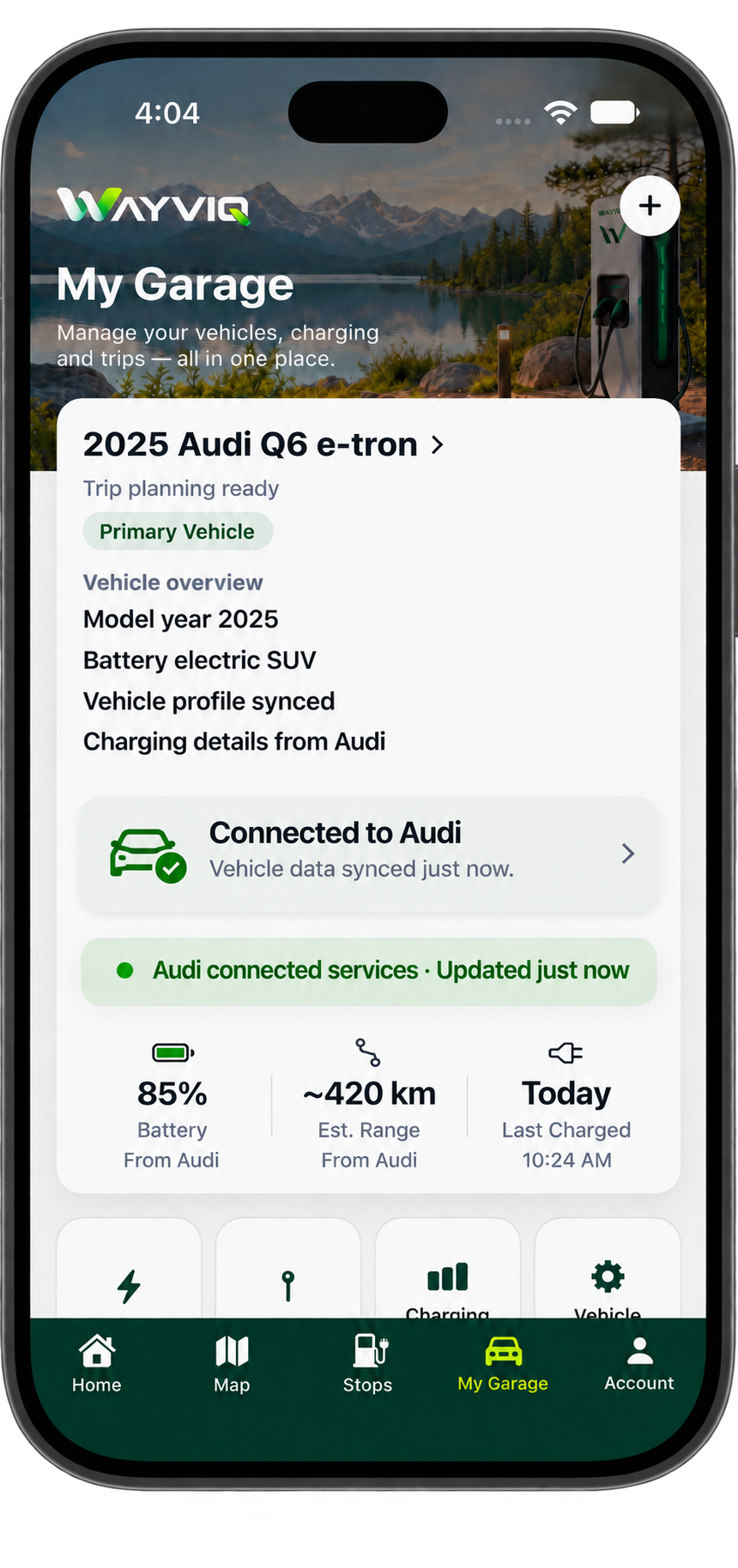
Build a useful collection of charging locations and return to the stops and journeys that matter to you.
Your profile, favourite stops and app information live together, with clear access to help when you need it.
For a brand like Tim Hortons or McDonald’s, a charging stop is a chance to reach customers deciding what to do while they wait. WAYVIQ brings coffee, breakfast, meal deals and loyalty offers into that moment—connecting the charging stop with a reason to visit.
A driver opens the app to check their charge. Your campaign gives them a next step: grab a coffee, pick up lunch or use a member offer at a participating location.

A coffee-and-breakfast offer from a participating brand, presented when a driver is looking for something to do during their charge.
Think Tim Hortons: a coffee-and-breakfast campaign that gives drivers a reason to visit a participating location while their vehicle charges.
Think McDonald’s: a meal or snack campaign that puts a convenient food option in front of drivers and passengers already taking a break.
Give eligible members another reason to choose your brand with a loyalty offer or member discount, using the partner’s own programme and terms.
Reach travellers while they have time to stop. Promote coffee, food and everyday purchases through campaigns connected to charging destinations—with your creative, your offer and a direct path to the next step.
Plan a while-you-charge campaign →Food, coffee, washrooms, convenience and scenic-stop shortcuts connect to the app’s discovery experience.
Where activity and vehicle data support it, Home brings your electric-driving impact into view.
A closer look at the implemented screens, controls and supporting experiences.
Built experiences. Clear boundaries. App screens show the product experience and a labelled trip design preview. Live charging coverage, vehicle telemetry, payments and partner benefits depend on their integrations. Credits, payment settings, notification preferences and reservation holds currently include preview-only behaviour.
Explore the platform behind the app, or talk to us about a driver, property or data partnership.